

Generating a draw
Open the Draws tab for a category and choose a format, group stage, straight knockout, or group stage followed by a knockout. Set the Number of groups if you’re using a group stage, and TT Arena lays out the bracket for you.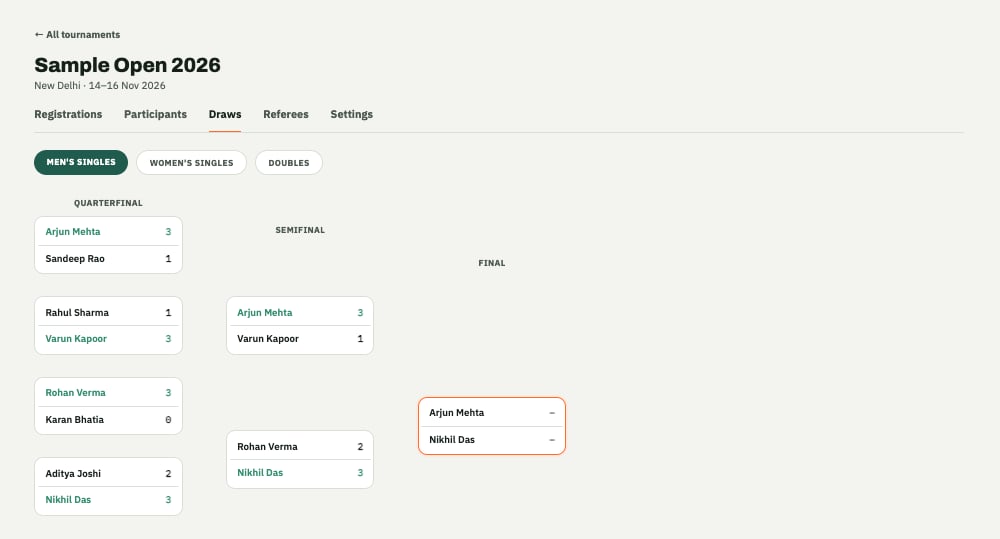
A knockout bracket, generated from a category's approved players.
Setting up referees
TT Arena’s referee system lets the people scoring matches on the day do it from their own device, rather than you manually entering every result. From the Referees tab:- Add a referee by their name and phone number.
- Assign groups to hand a referee responsibility for specific groups or tables.
- Revoke access if someone’s no longer helping out, or Reactivate them if they’re back.
Live scoring
As referees score matches, results update immediately, group standings, the knockout bracket, and each player’s own Schedule tab in the Player app all reflect it right away. Players don’t need to refresh anything to see a live match or a result land.Next: the Player app
See what your players see once their draw and schedule are live.